

Security built into every account
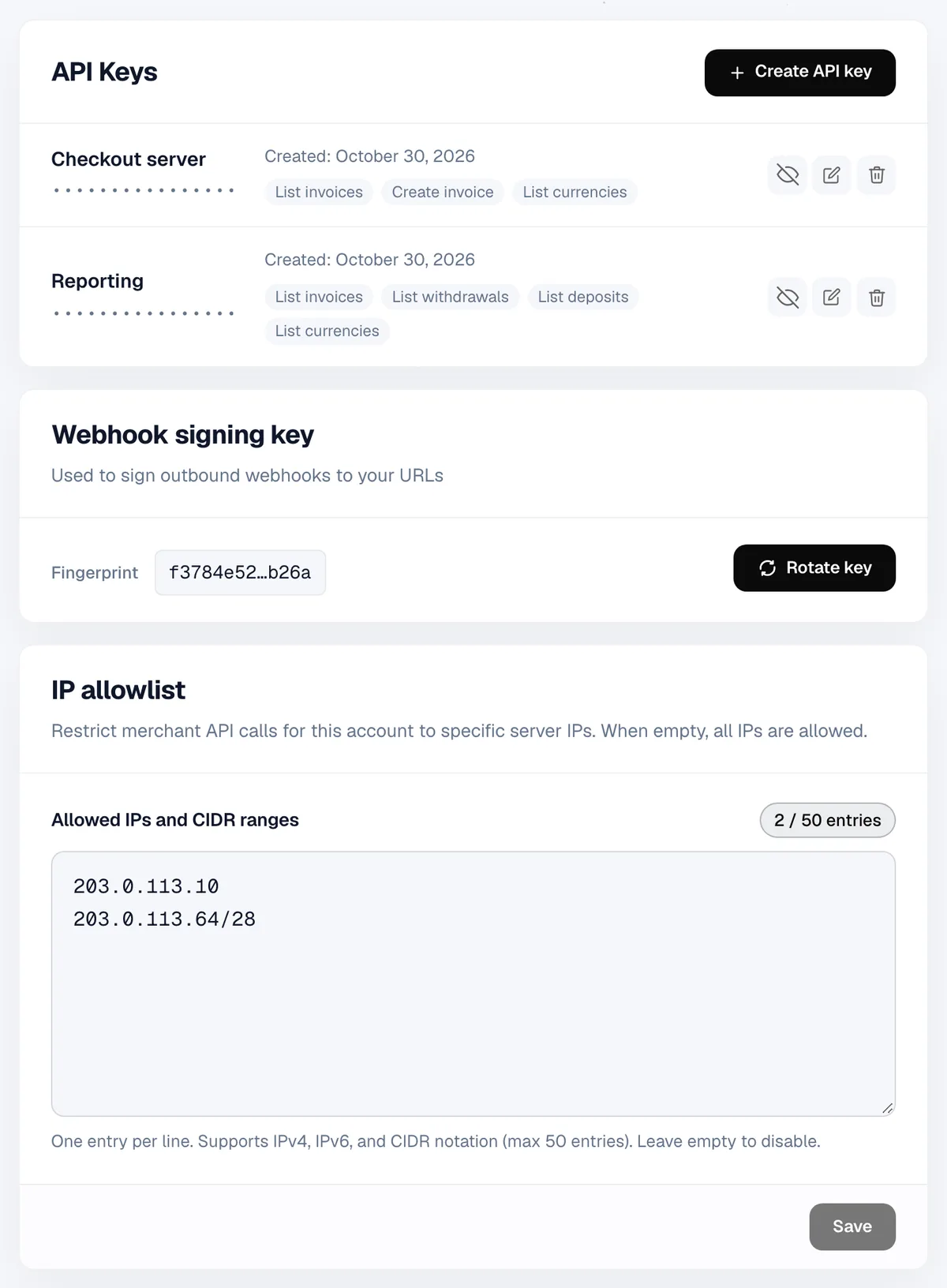
Passkeys, single sign-on, roles and scoped API keys keep your account in your hands. Signing keys stay in a separate service that only signs.
You decide who gets in and what they can do
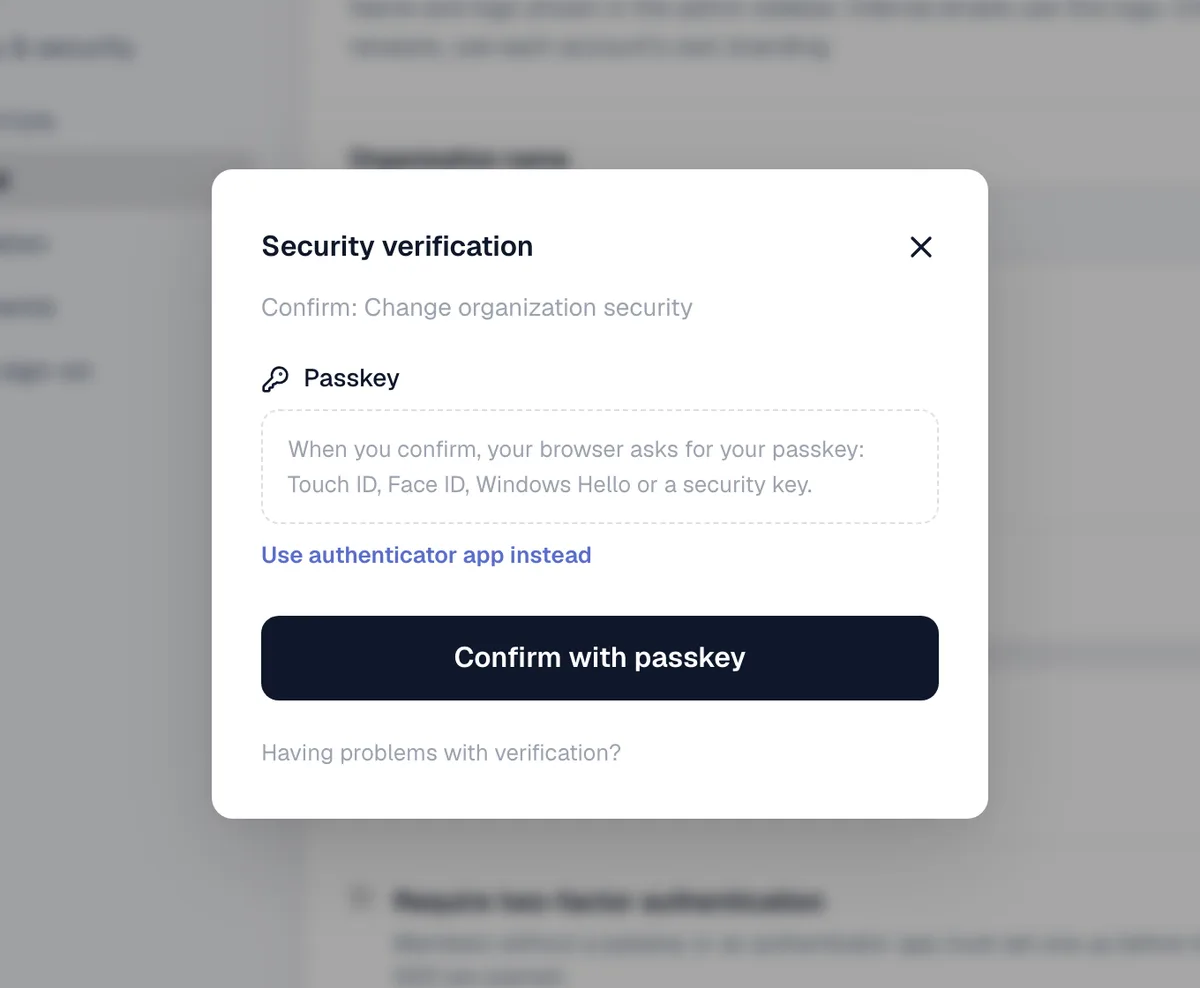
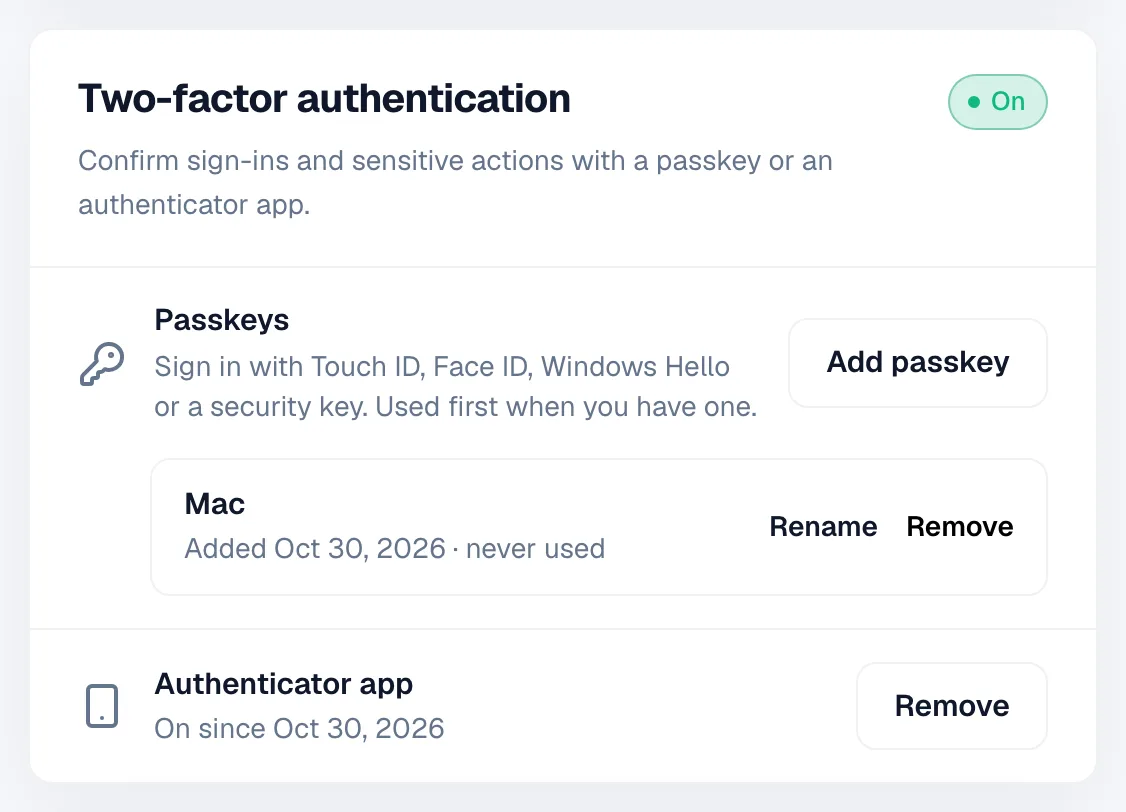
Passkeys or an authenticator app. Owners and admins can require it for the whole team.
Okta, Entra ID, Google Workspace or any OpenID Connect or SAML provider, with SCIM to sync your team.
Read the SSO guide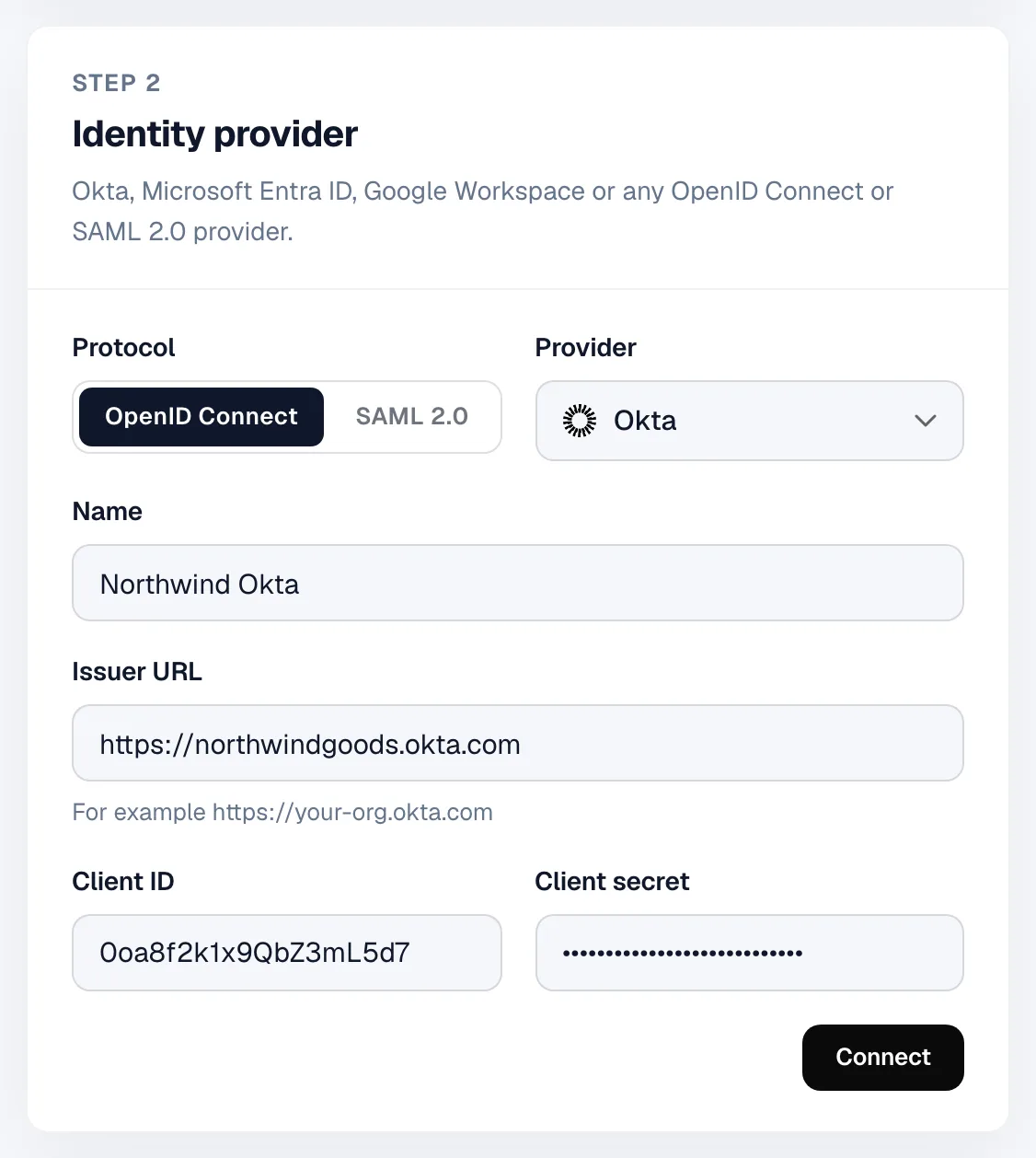
Owner, admin, developer, finance or viewer. Each person gets only the access they need.
Read the roles guide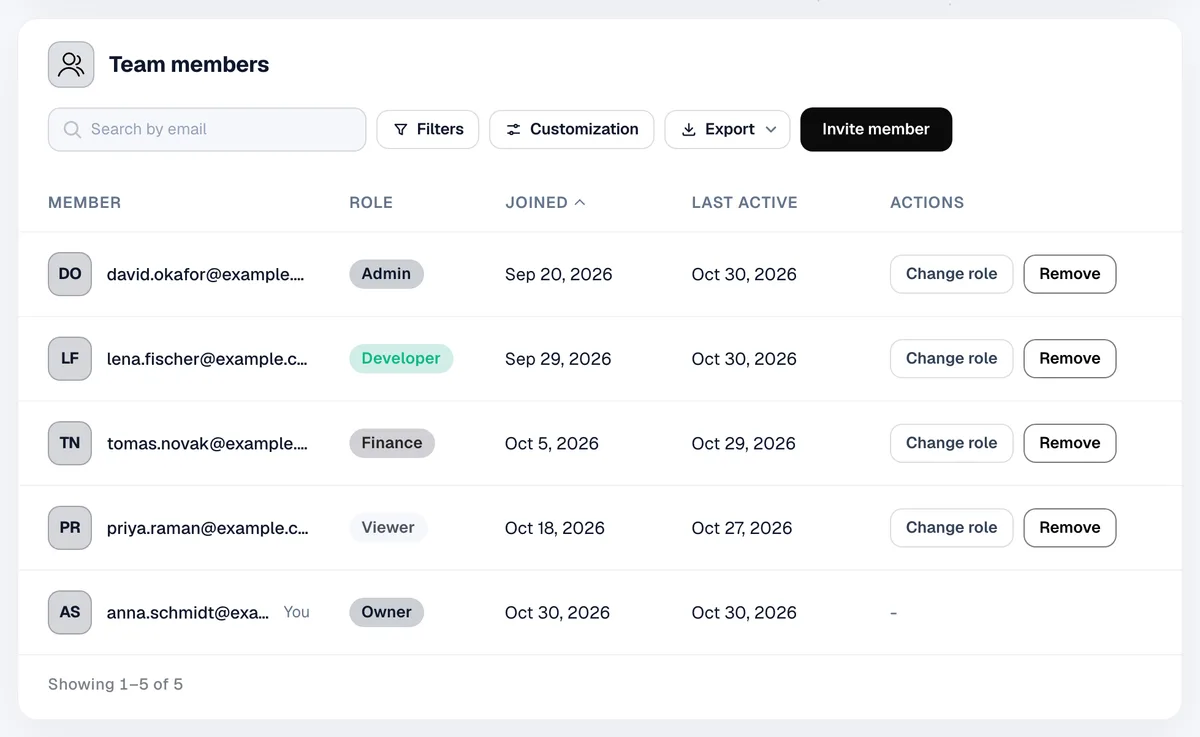
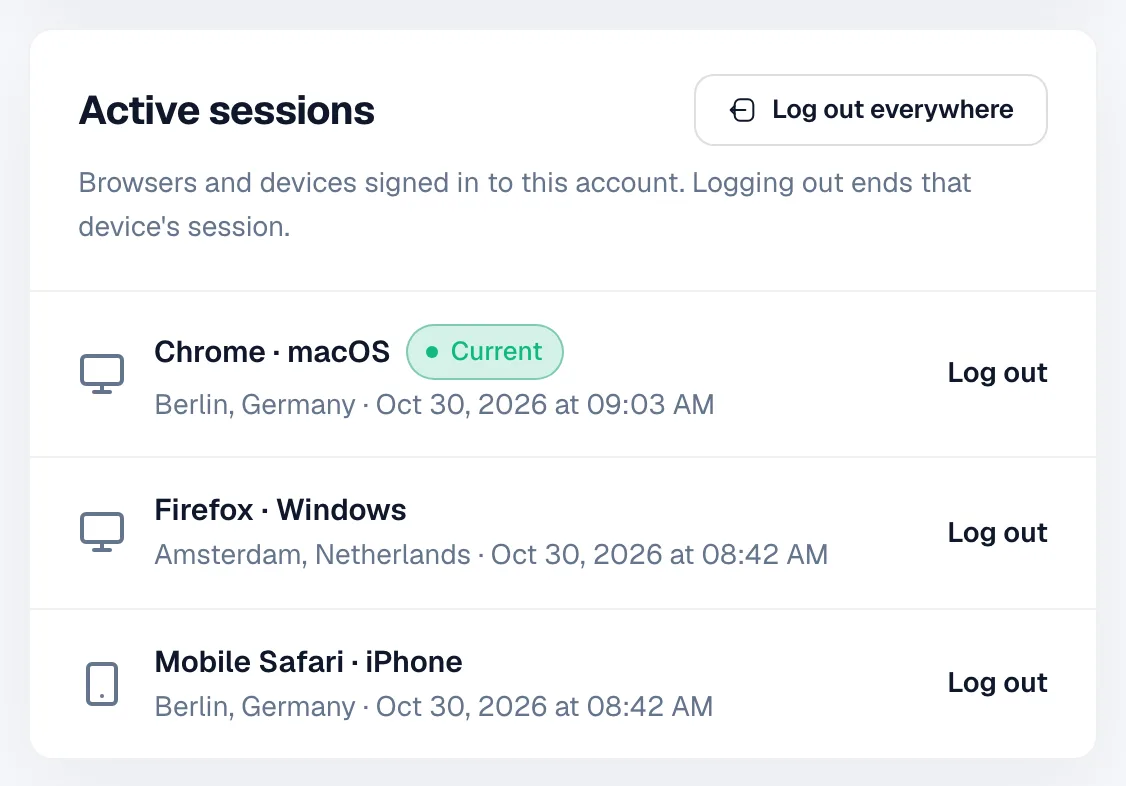
See every device signed in to your account and log any of them out.
Encrypted in transit and at rest
In transit
TLS on every connection. Our servers accept traffic only through Cloudflare.
At rest
2FA secrets are encrypted with AES-256-GCM. API keys and tokens are stored only as hashes.
Sign-in
Rate limits, Cloudflare Turnstile and HttpOnly session cookies that scripts can't read.
Found a security issue? Tell us
We welcome reports from researchers and customers. Send yours to our security team and we'll work with you to fix it.
What to send
- What you found and where
- Steps to reproduce it, with requests or screenshots
- What an attacker could do with it
- How to reach you for follow-up questions
Please don't
- Access, change or delete other people's data
- Run tests that slow down or disrupt the service
- Use social engineering, phishing or physical attacks
- Share the issue publicly before we have fixed it
Report a vulnerability
Write to security@cryptonly.net. We'll confirm we got your report and keep you posted until it's fixed.
Security questions
Does Cryptonly hold my funds?
Yes. Payments arrive at addresses Cryptonly controls and are credited to your balance. You withdraw to your own wallet whenever you want, and your balance is kept in a ledger with a record for every credit and withdrawal.
Can I make two-factor authentication mandatory for my team?
Yes. The owner or an admin can require it in the organisation settings. Members without a passkey or an authenticator app must set one up before they can use the dashboard. Members who sign in with SSO are exempt: your identity provider sets the rules for their sign-in.
What if I lose my phone or security key?
Add more than one factor, for example a passkey on your laptop and an authenticator app on your phone, so you can still sign in if one is lost. If you lose all of them, contact support: we verify your identity before we reset two-factor authentication.
Which identity providers work with SSO?
Okta, Microsoft Entra ID, Google Workspace and any provider that supports OpenID Connect or SAML 2.0. You can also add, update and deactivate members automatically with SCIM 2.0.
How do I check that a webhook came from Cryptonly?
Every webhook is signed with HMAC-SHA256 using your account's signing key. Recalculate the signature over the request body and compare it with the signature header. You can rotate the signing key in your account settings at any time.